Your home's schedule,
on one screen.
From the smart menu that reads your school lunch list and plans dinner around it, to the morning routine, medicine times and homework… On the tablet at home, on both parents' phones and on the child's own screen: always the same plan, always up to date.
No more
“What's for dinner?”
Thousands of weekly menus from more than 340 recipes. If your school sends a monthly lunch menu, your week is planned around it: whatever your child had at lunch, dinner won't be the same dish or the same kind of dish.
A PDF or photo of the school menu
Pick the monthly list the school sent. No need to type anything.
OCTOBER LUNCH MENU
| Mon 26 Oct | Tarhana soup, beef chickpeas, rice pilaf |
| Tue 27 Oct | Red lentil soup, minced-meat pasta, seasonal salad |
| Wed 28 Oct | Tomato soup, meatballs, mash |
| Fri 30 Oct | Yoghurt soup, vegetable pasta |
Every day fills itself in
Meals are read with their dates and placed on each day of the month. Preview and save with one tap.
Dinner planned around school
Nobody has to eat the same meal twice in one day.
🏫 Lunch at schoolBeef chickpeas, rice pilaf
→🏠 Dinner at homeBaked salmon, beetroot salad
✓ Pulses at lunch, fish for dinner🏫 Lunch at schoolMeatballs, mashed potatoes
→🏠 Dinner at homeLeeks in olive oil
✓ Meat at lunch, vegetables for dinner🏫 Lunch at schoolVegetable pasta
→🏠 Dinner at homeChicken sauté, salad
✓ No pasta twice in a day🚫 List your dislikes once
Write down who dislikes what; the menu builder picks recipes accordingly. A dish with that ingredient never makes it onto the menu.
💡 Recipes are filtered by their ingredient lists: if you wrote “mushrooms”, neither mushroom pilaf nor chicken in mushroom sauce will appear.
⚖️ Balanced every week
A week created with one tap follows these rules automatically:
- 🐟Fish once a week, pulses at most twice
- 🔁The same type never two days in a row
- ⏱️Quick recipes on weekday evenings
- 🗓️Dishes from recent weeks don't come straight back
- 🍂Seasonal dishes; vegetarian if you like
- 📖Every dish comes with a recipe and ingredients for 4
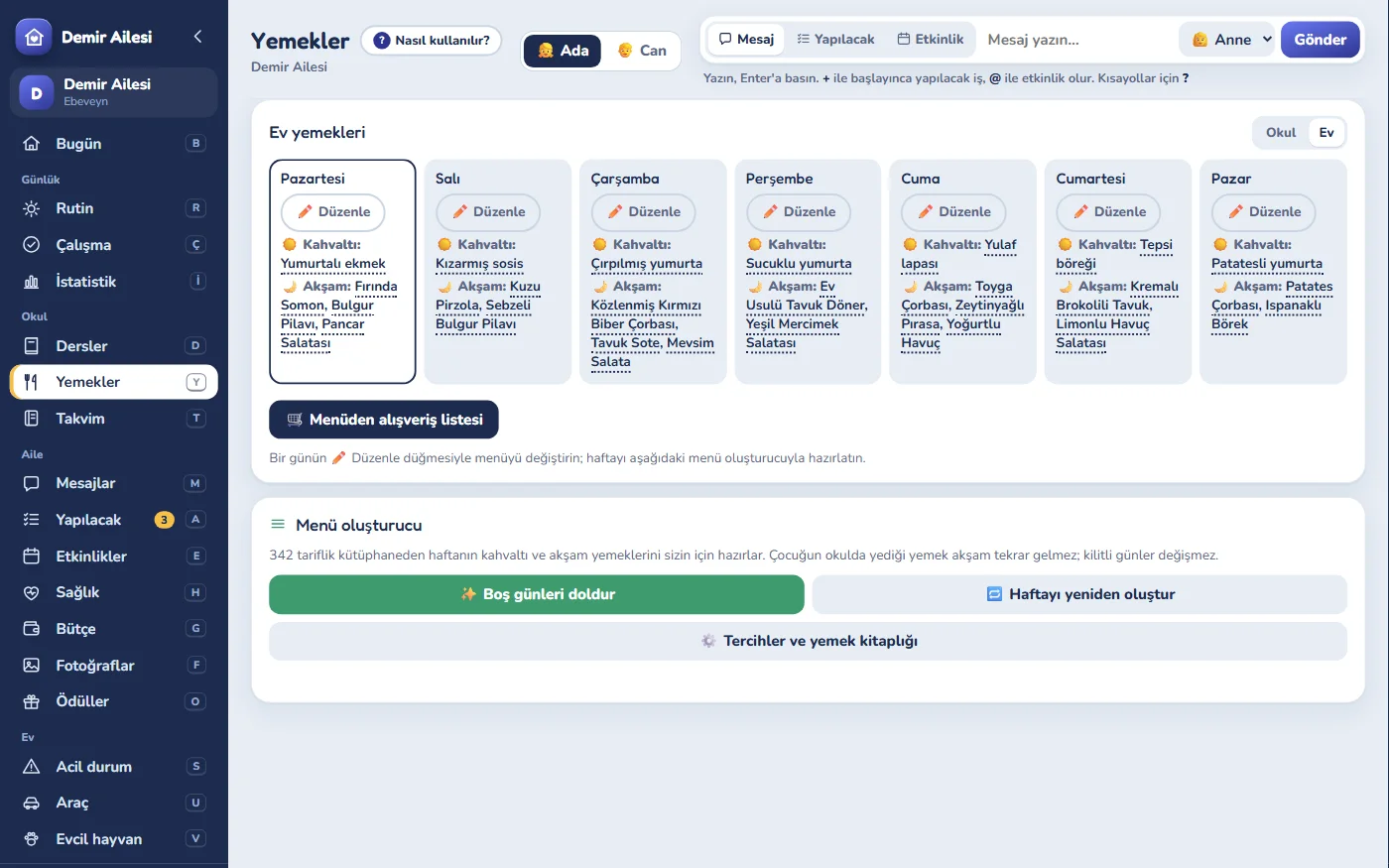
The week's home meals at a glance; what was served at school that day appears next to the home meal on the Today screen's Meals card (the school menu is on the School tab) · The menu file is read on your device and never sent to the server · Recipes and school-menu reading are currently Turkish
One family, four screens,
one plan.
Everyone uses the screen that suits them. When someone changes something, everyone else sees it at the same moment.
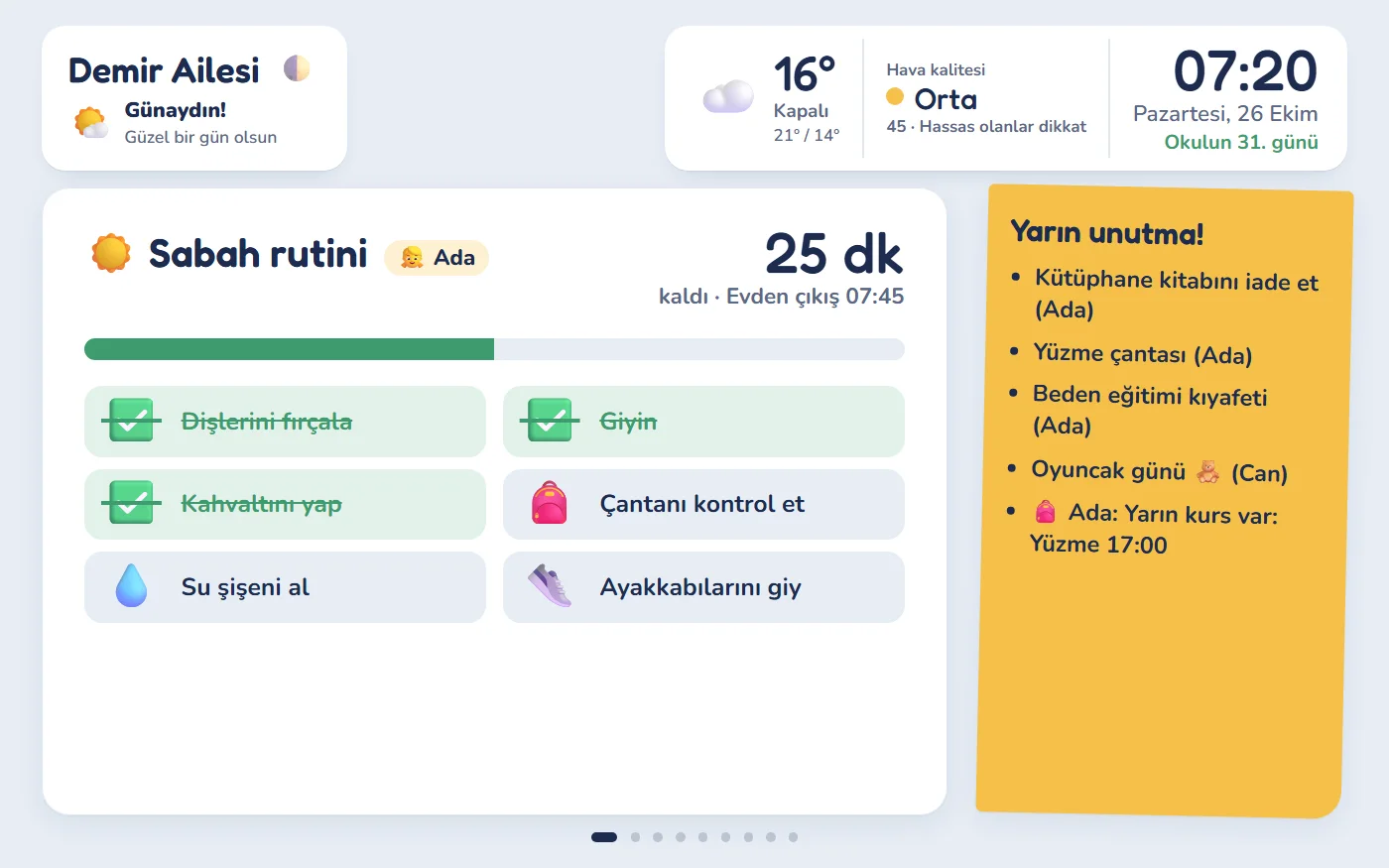
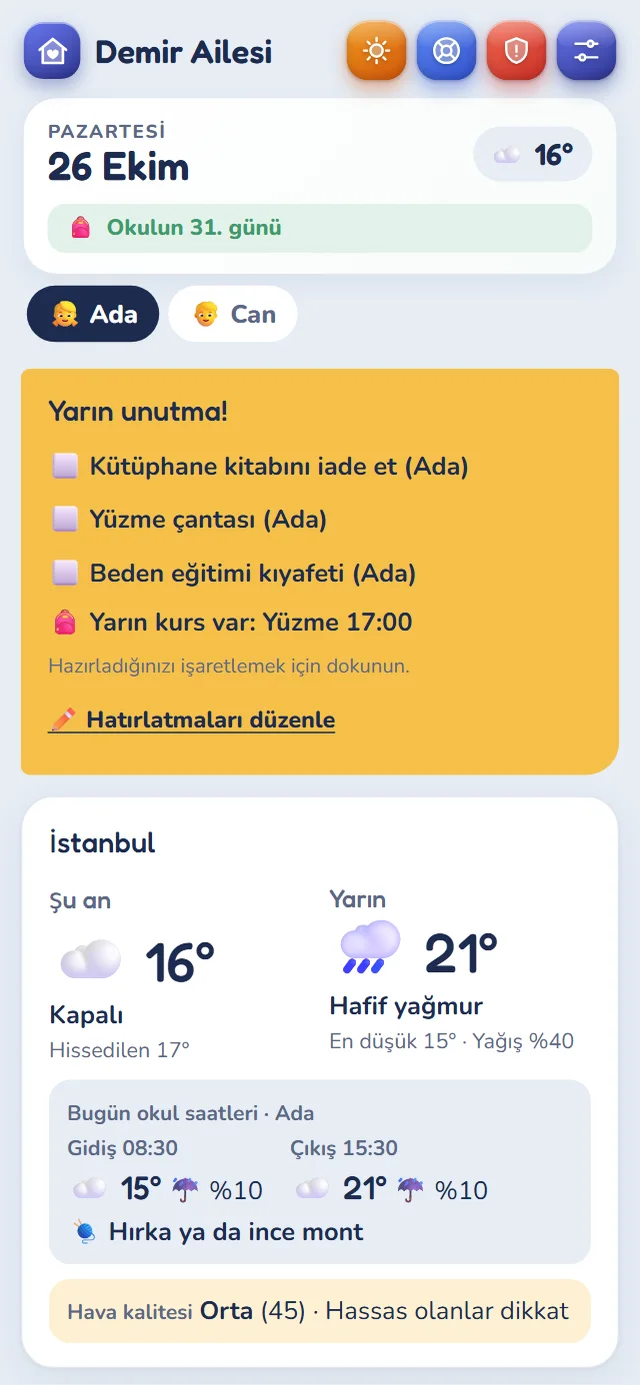
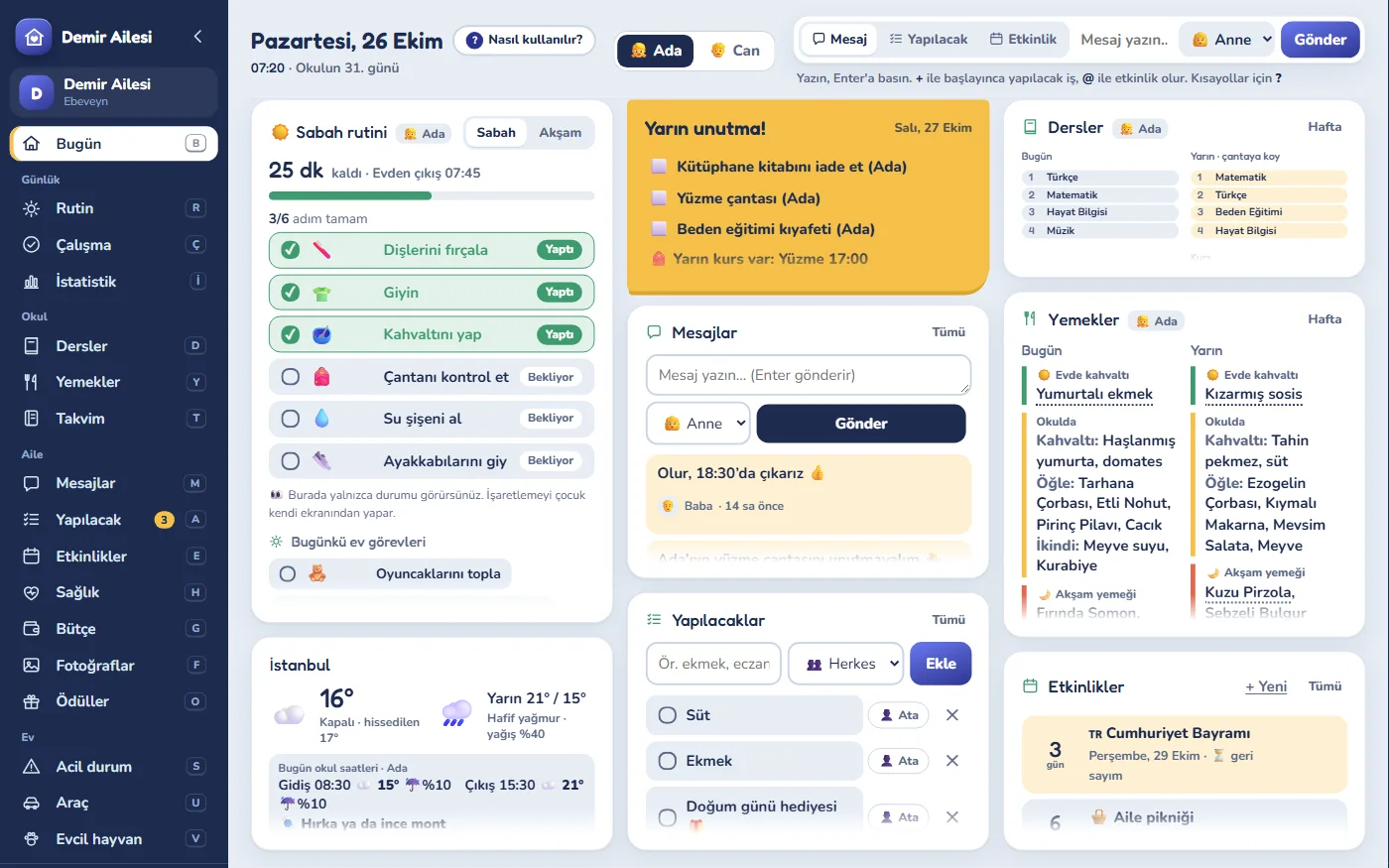
The screenshots on this page show the app's Turkish interface.
What does a day
with Aile Plan look like?
Pick one of three days and follow it hour by hour. The notifications show what arrives on mum's and dad's phones at that moment.
Homework time gets organised,
habits become fun.
Instead of asking “Have you done your homework?” and “Have you brushed your teeth?” every day, set up the plan together and let Aile Plan keep track of the rest.
A clear goal every day,
progress in plain sight.
Set a target time and the subjects for each day. As your child studies, add 10 minutes with one tap; at the end of the week you see how much time went into each subject.
- 📚Reading stopwatch: minutes read and books finished each month; the book cover and page count appear automatically.
- 👧👦A separate plan for each child; siblings never get mixed up.
Calm mornings,
a star for every step.
Morning and evening routines appear on the board with a countdown. Your child ticks off the steps on their own screen and earns a star for each one. You set the weekly goal and the reward.
- 🗓️Separate weekday and weekend routines: worked out automatically from the school calendar.
- 👆Tap the steps to try it; your child ticks them off just like this.
Your child’s progress,
in numbers and colors.
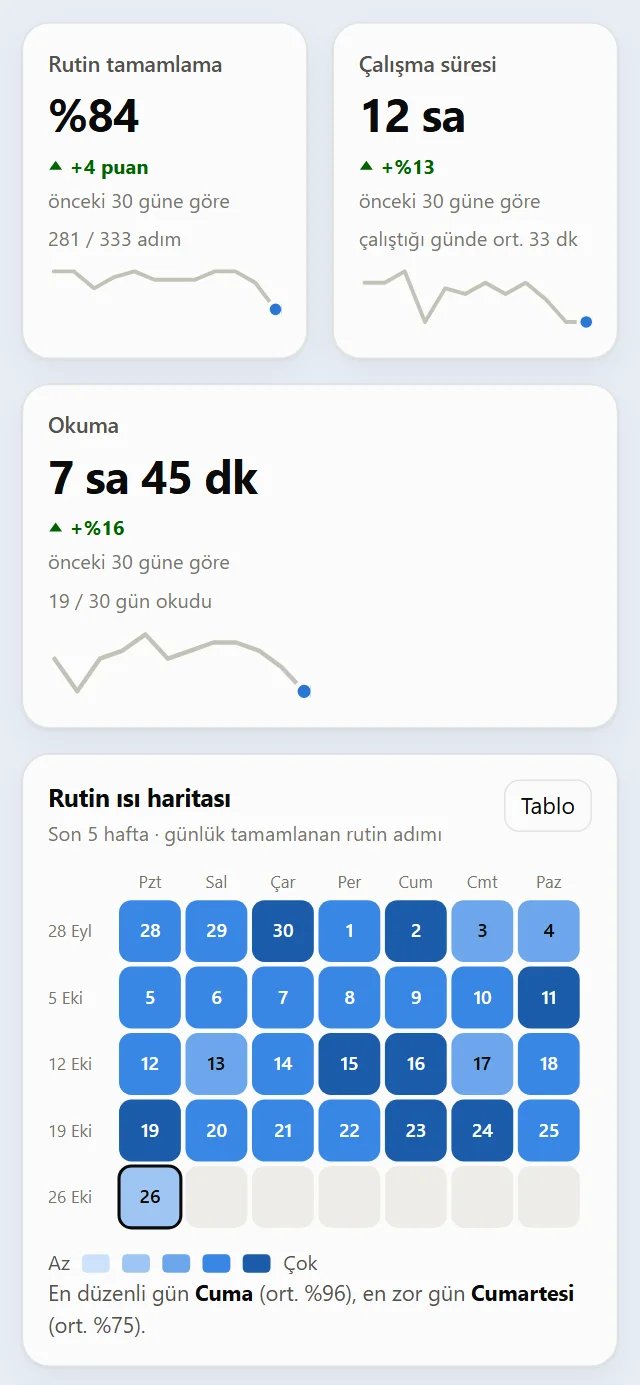
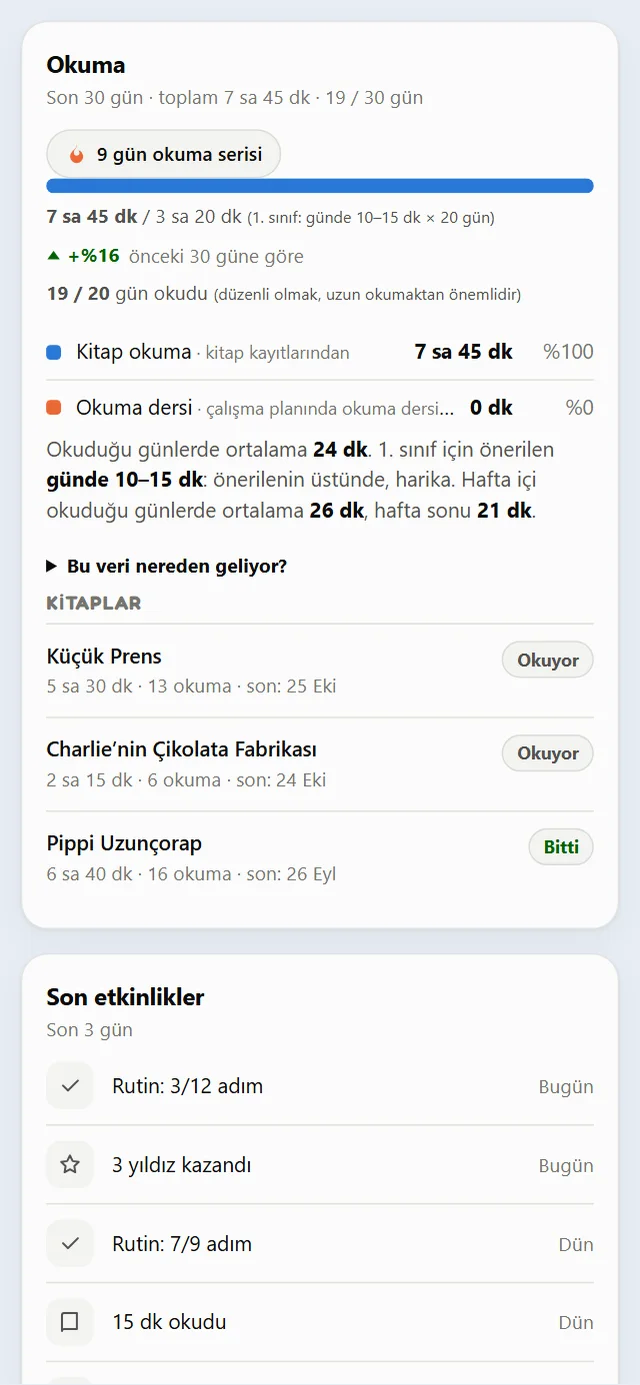
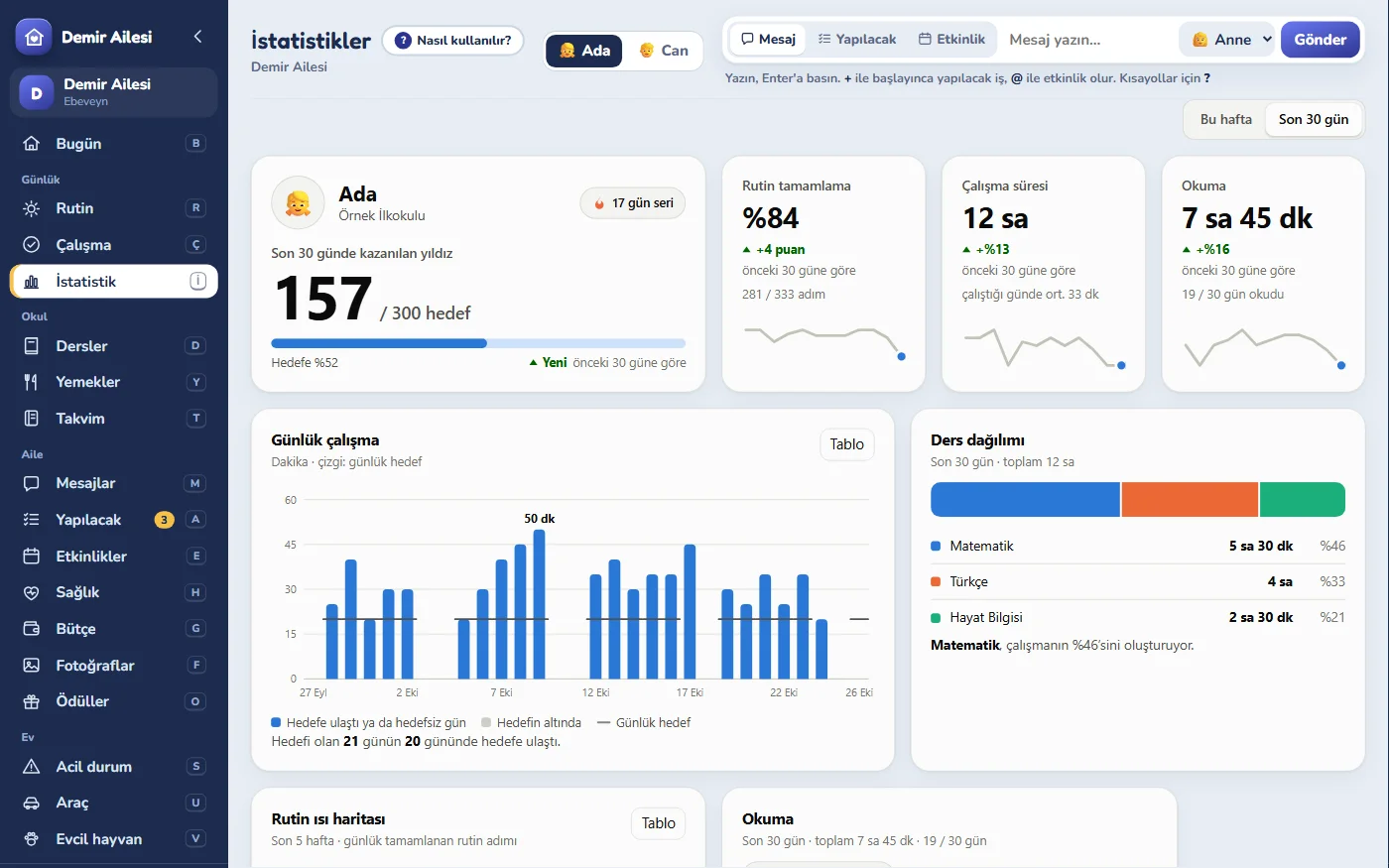
Routines, homework and reading records add up on their own. Separate for each child: the answer to “how are we doing this month?” on one screen.
Routine heat map
Each square is a day; the darker, the more of the routine was completed.
Reading
From the reading timer
Daily study
This week, in minutes
Subject split
Recent activity
Shown with sample numbers. Statistics appear only for families with children; the figures are calculated on your device and no health information ever enters these pages.
The rest of the home
is in order too.
Alongside the family plan, the things you keep in mind around the house are now here too. All from the parents’ phones and computers.
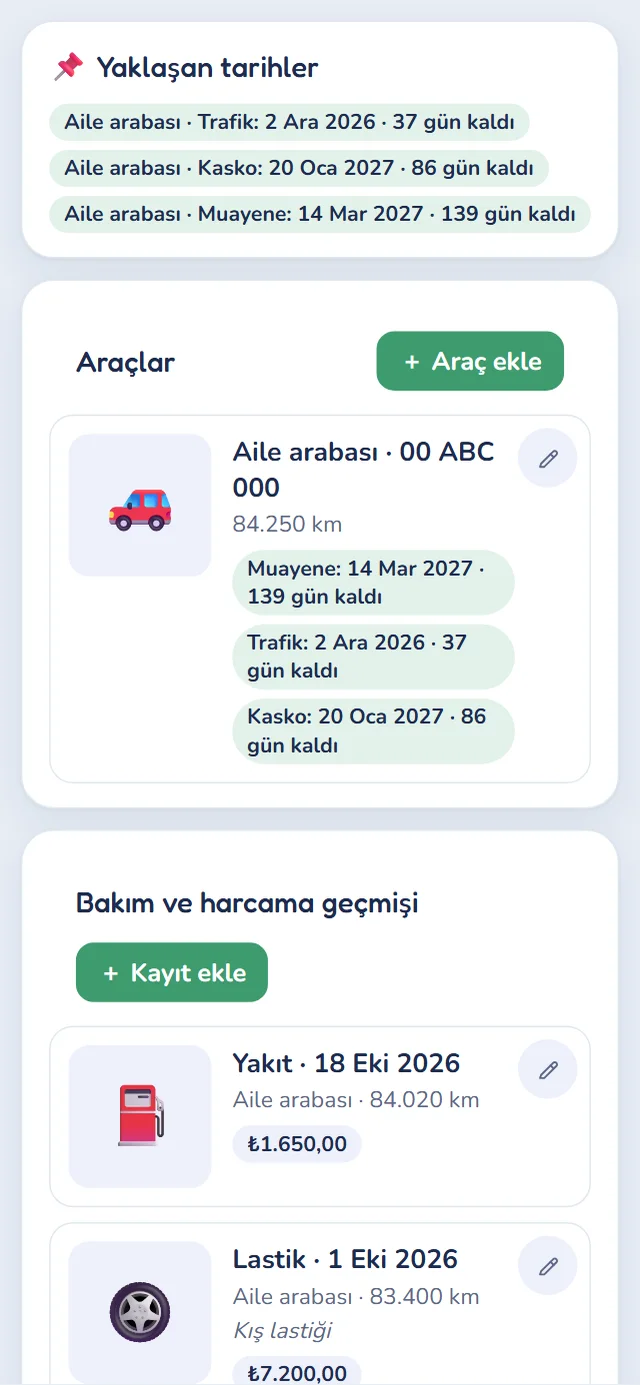
Vehicle tracker
Inspection, insurance and comprehensive-cover dates, mileage; service, tire, fuel and repair records in one place.
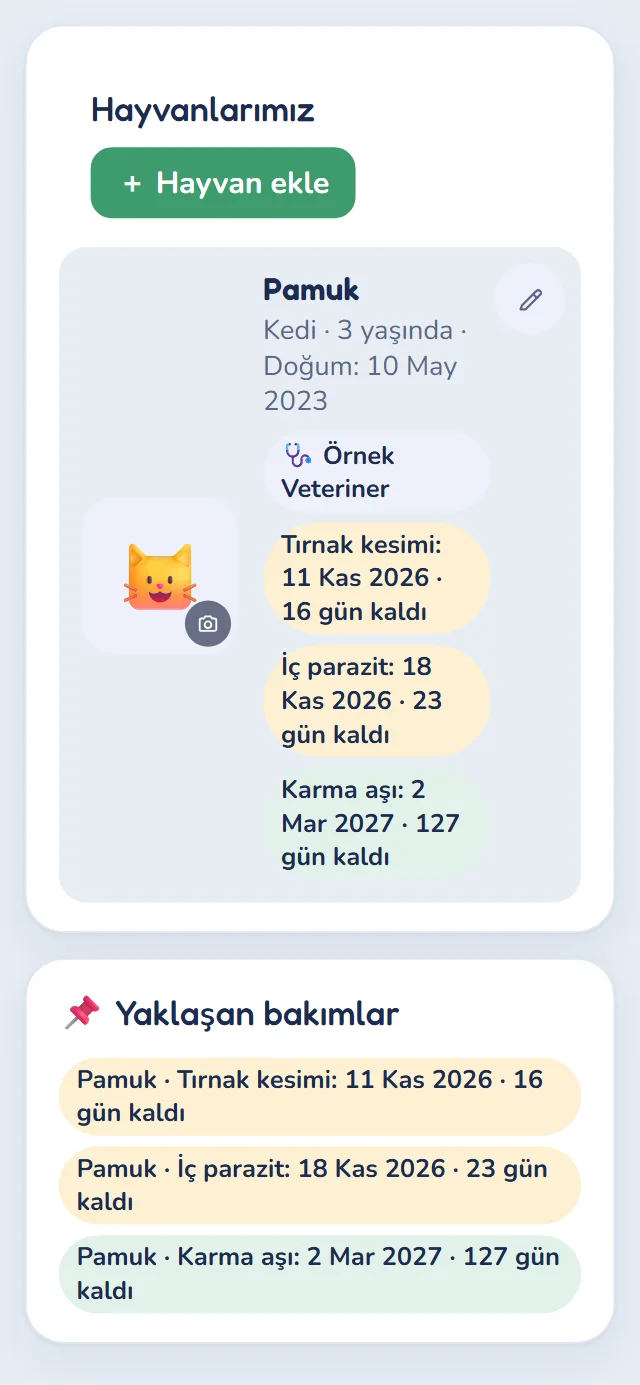
Pet care
Recurring jobs like vaccines and parasite treatment, vet and microchip details, a profile photo. It works out the next due date from the last one.
Star reward shop
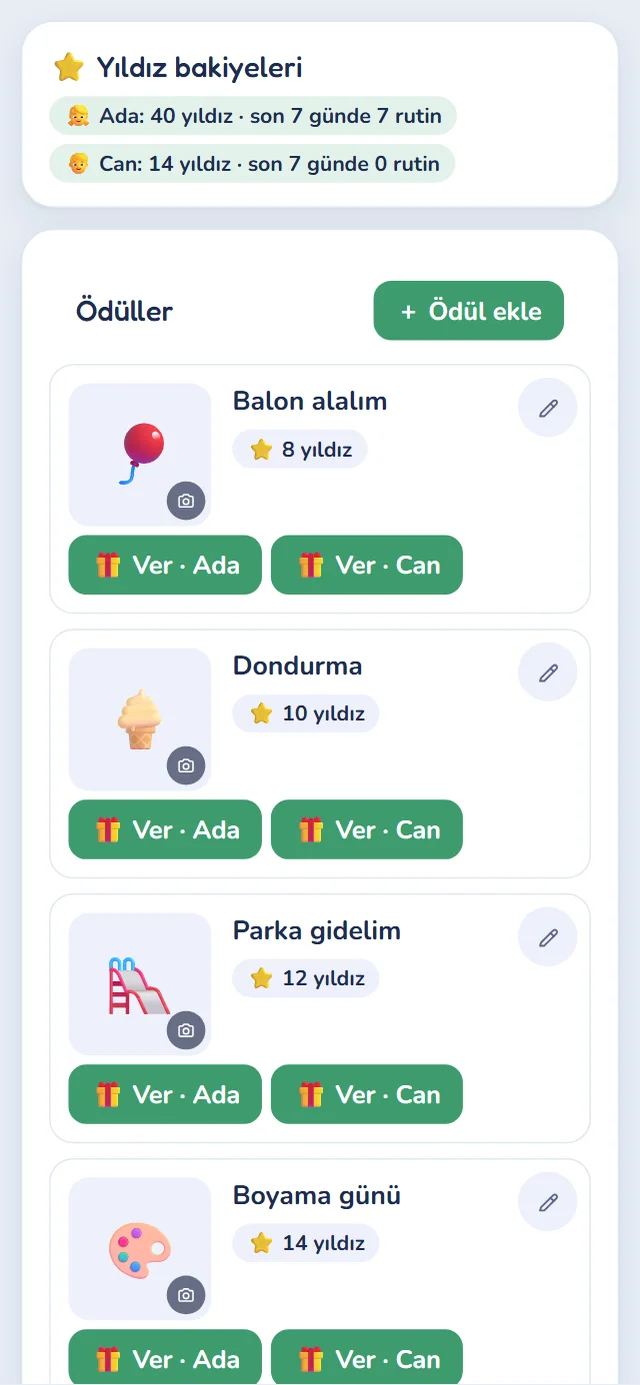
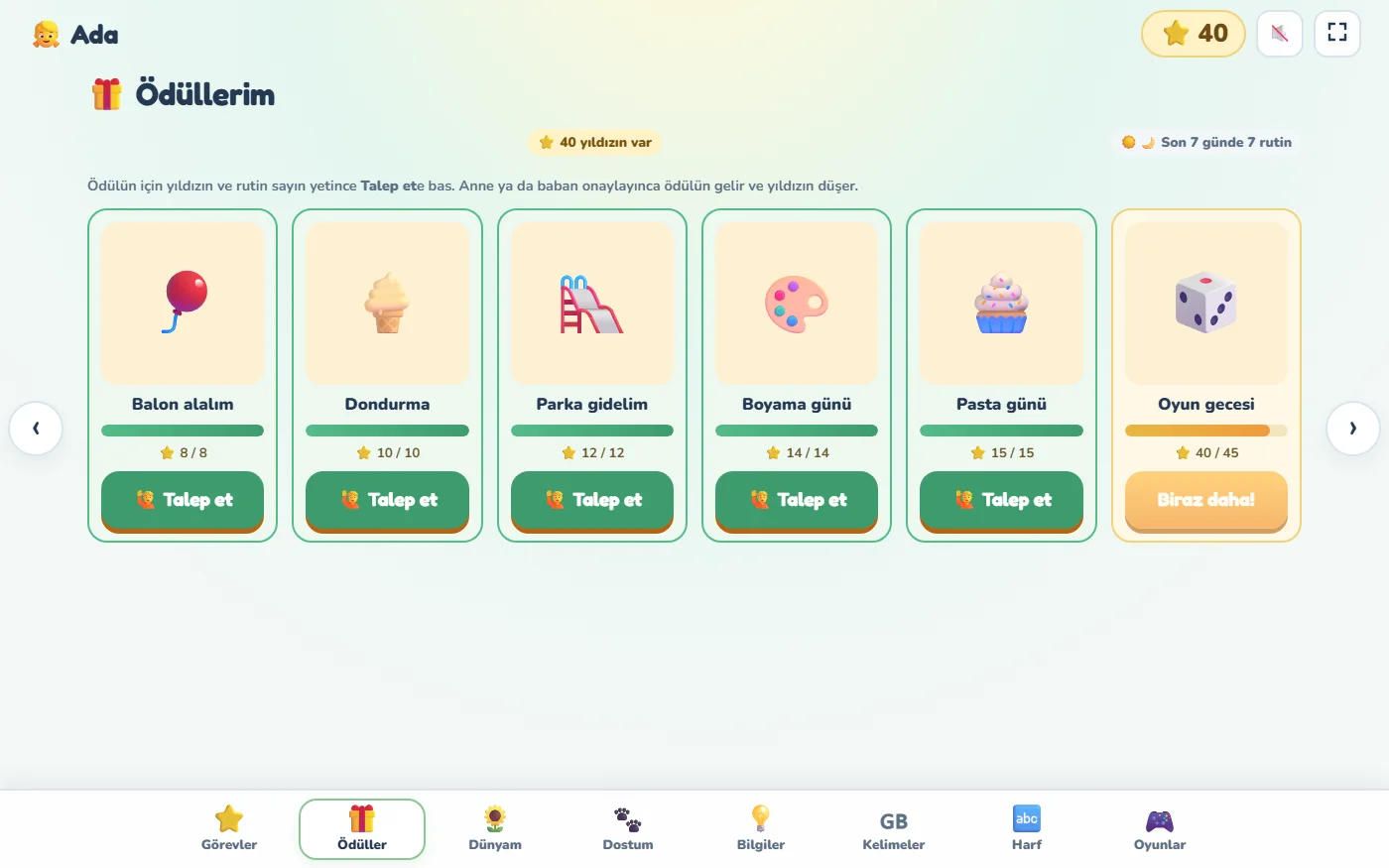
You set the rewards; the child “requests” one with the stars they have earned and you approve. You can add a routine requirement.
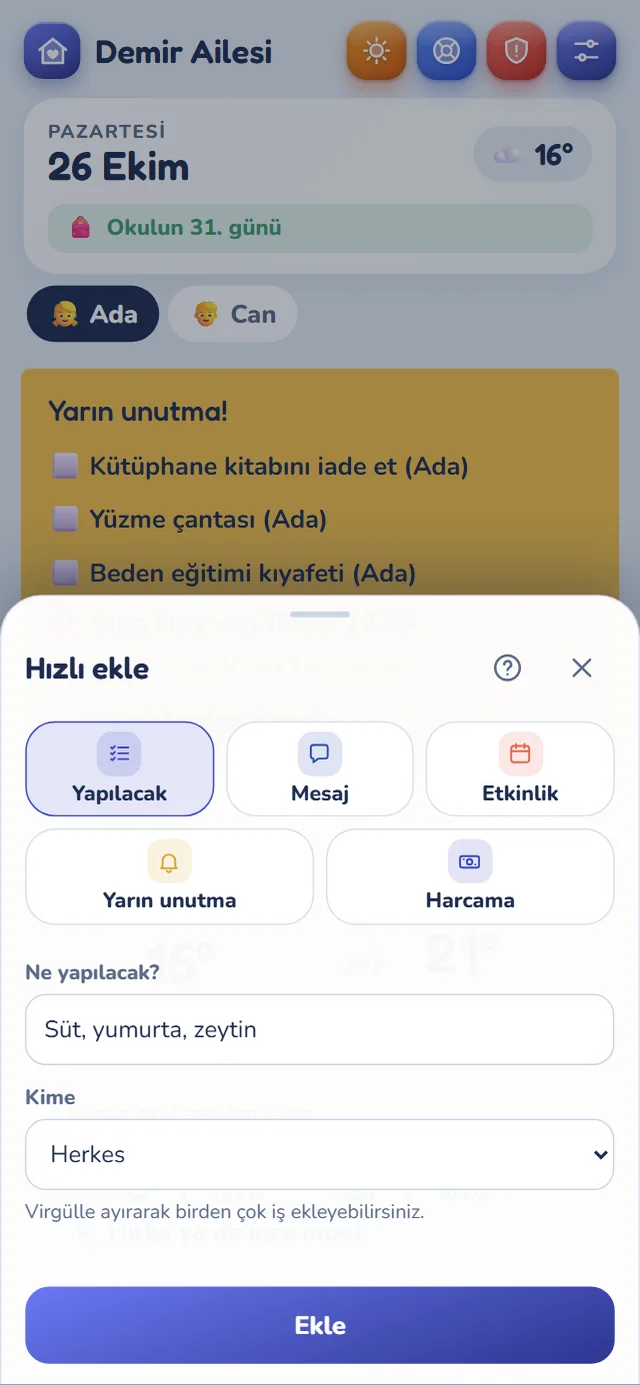
Quick add
The + at the bottom right adds a to-do, message, event, tomorrow reminder or expense in seconds, with no tab hopping.
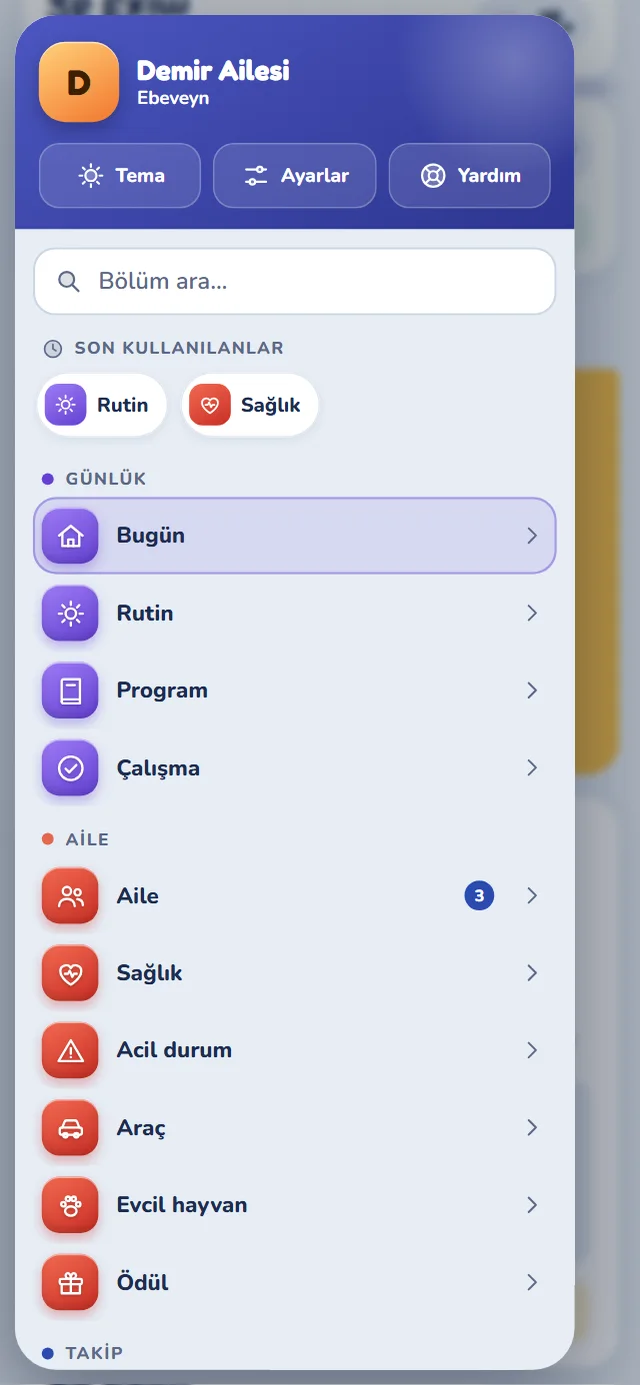
Side menu on the phone
The button at the bottom left opens a grouped menu: section search, recently used, and counters. Everything is one tap away.
Dark theme
Light, dark, or dark automatically in the evening. Each device can pick its own theme.
Cards with photos
Add photos to rewards and pets; only your own family can reach the photos.
Same look on the computer
The family screen now matches the phone’s colors and icons, with a family box and line icons in the menu.
Even a midnight fever,
organised and recorded.
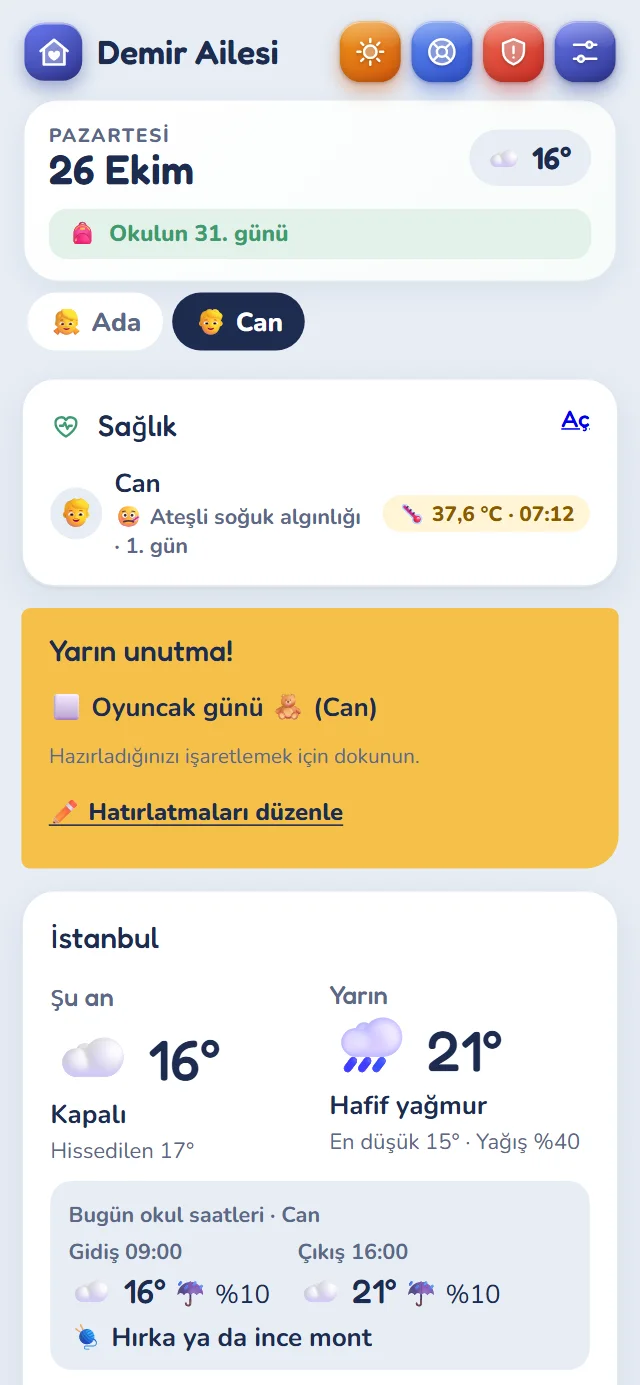
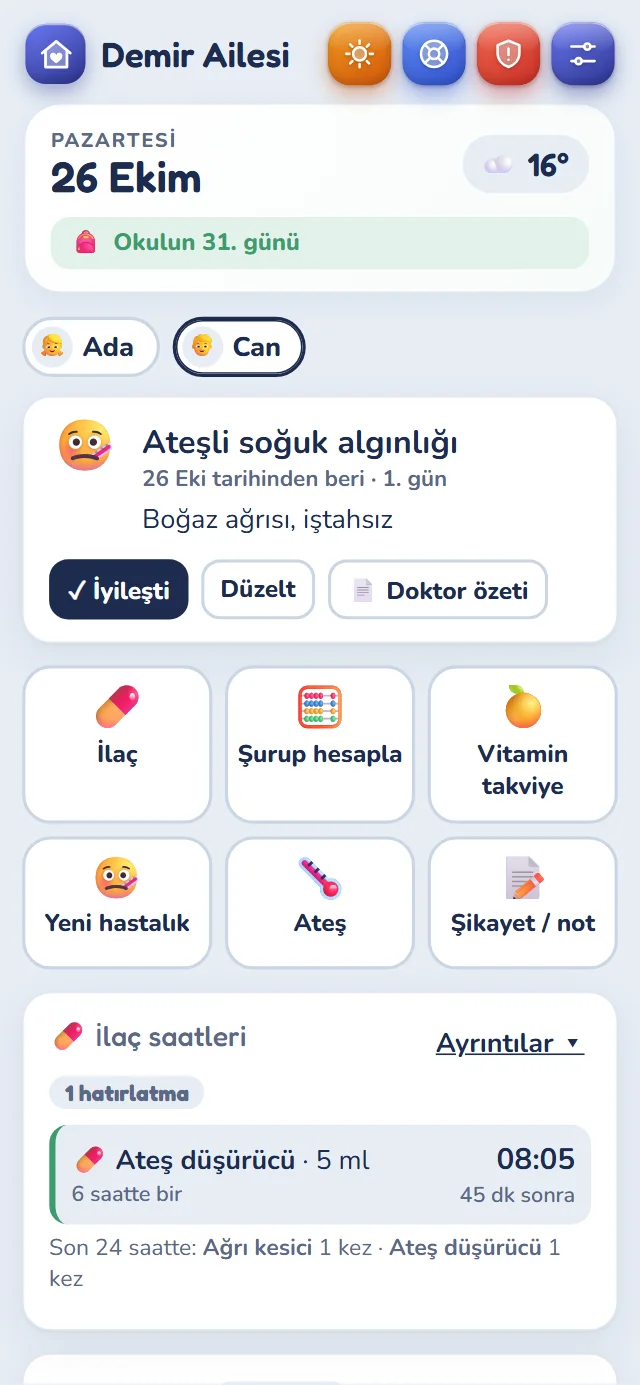
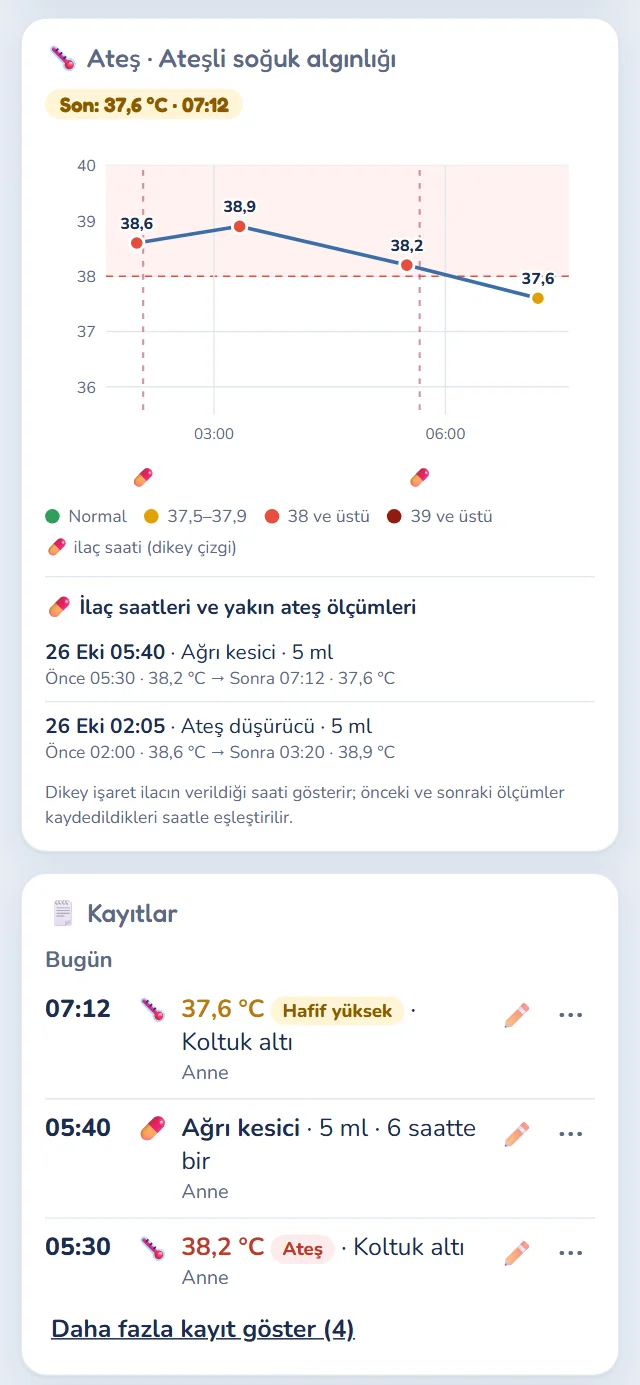
Who gave which medicine, when, and how many ml? What was the temperature? Mum records the fever and dad sees it on his phone straight away. No more “Did you give it?” calls.
- ⏰Medicine remindersThe next dose is calculated; when it's due, both phones get a priority reminder.
- ⚠️Dose warningsWarns you before the interval is up or the daily maximum would be exceeded.
- 🧮Syrup dose calculatorFrom the product on the bottle, age and weight, the ml for a single dose is shown in large type. It refuses to calculate for babies under 6 months, for a weight that doesn't fit the age or for the wrong bottle, and says why. (Products available in Turkey.)
- 💉Vaccination cardThe vaccination schedule is ready based on the date of birth; you tick off the ones that are done. (Turkish schedule.)
- 🍊Vitamin supplementsSupplements such as vitamin D or iron are reminded daily and kept separate from the fever chart and medicine warnings.
- 📈Summary for the doctorA fever chart with medicine times marked, printed on a single page.
- 👨👩👧For babies and adults tooA baby's health and care are tracked from the parents' phones. In families without children, fever, medicine and reminders work for adults.
The syrup dose is calculated for three products only, from the Turkish product information documents (SmPC). It is for information and does not replace your doctor’s or pharmacist’s advice. Always check the result with them before giving the medicine.
Responsibility feels like a game,
screen time with peace of mind.
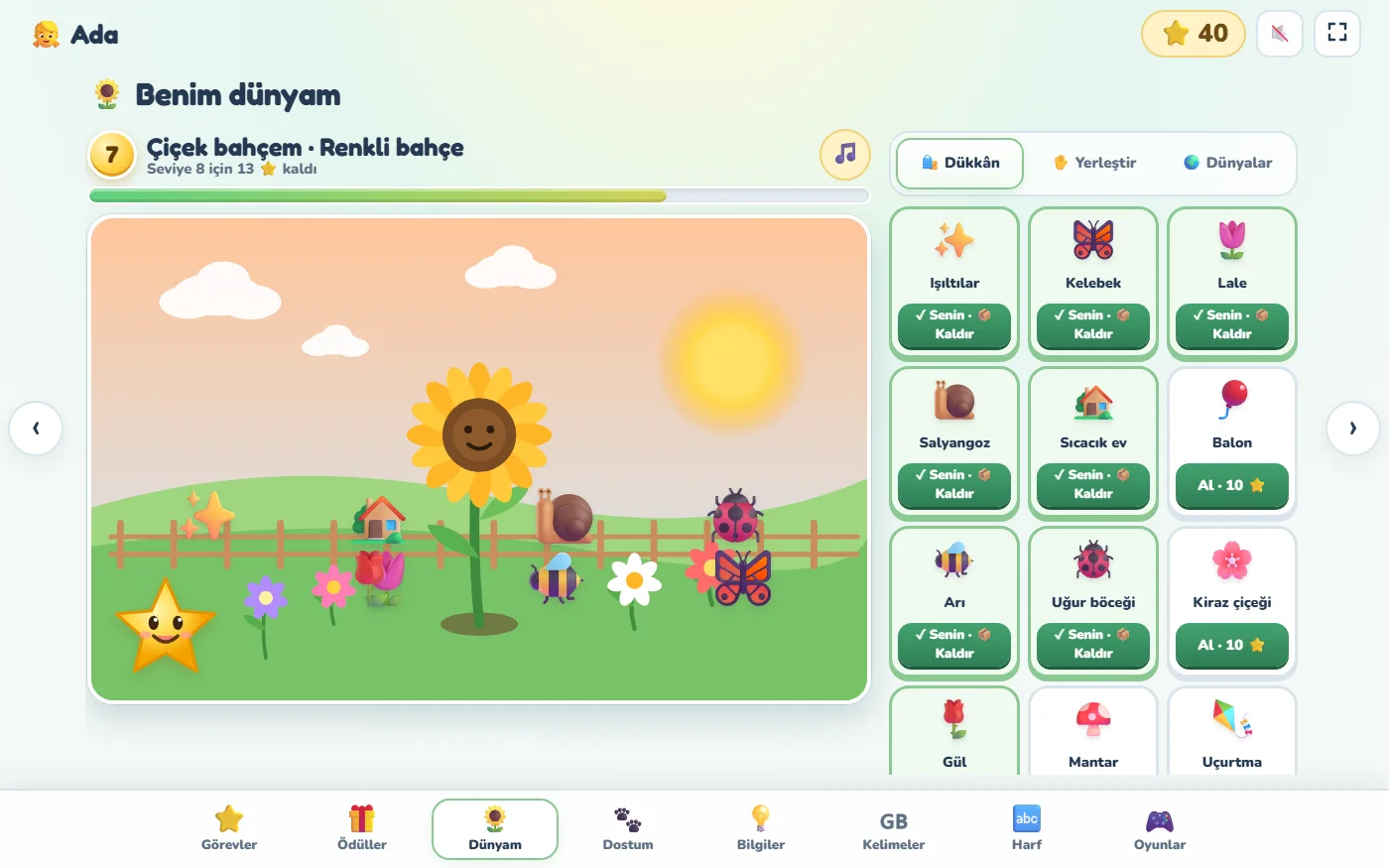
Once their tasks are done, children move on to their own world to learn and play. No ads, no purchases, no links to the outside.
🌻 Their own world
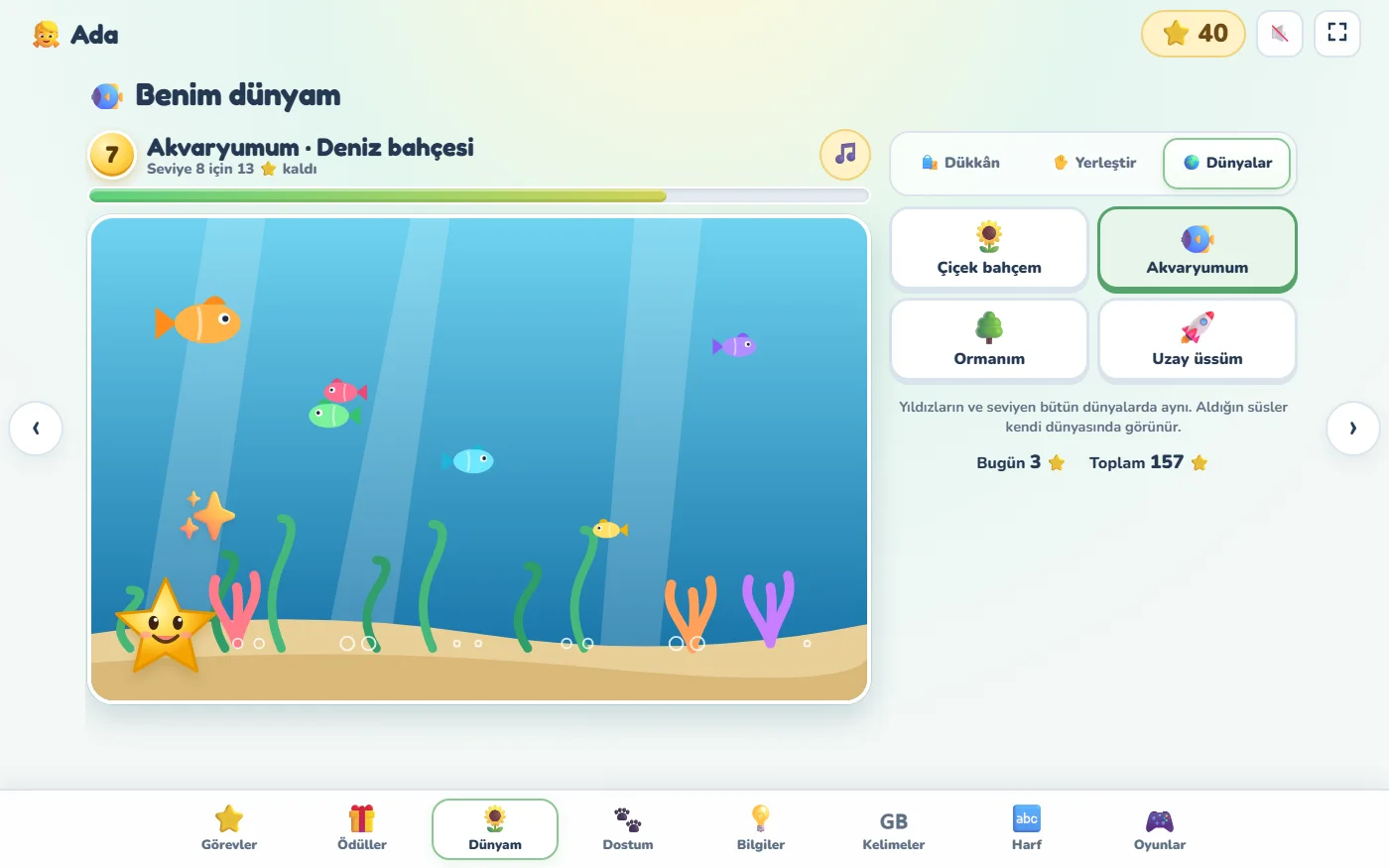
A flower garden, an aquarium, a forest or a space base. With the stars they collect they choose from 58 decorations such as butterflies, dolphins or rockets and place them wherever they like.
A safe space
A photo uploaded for a jigsaw stays only on the child's tablet. Games don't give stars; stars are earned with tasks. You can turn games off with one tap.
🔤 Learning for their age
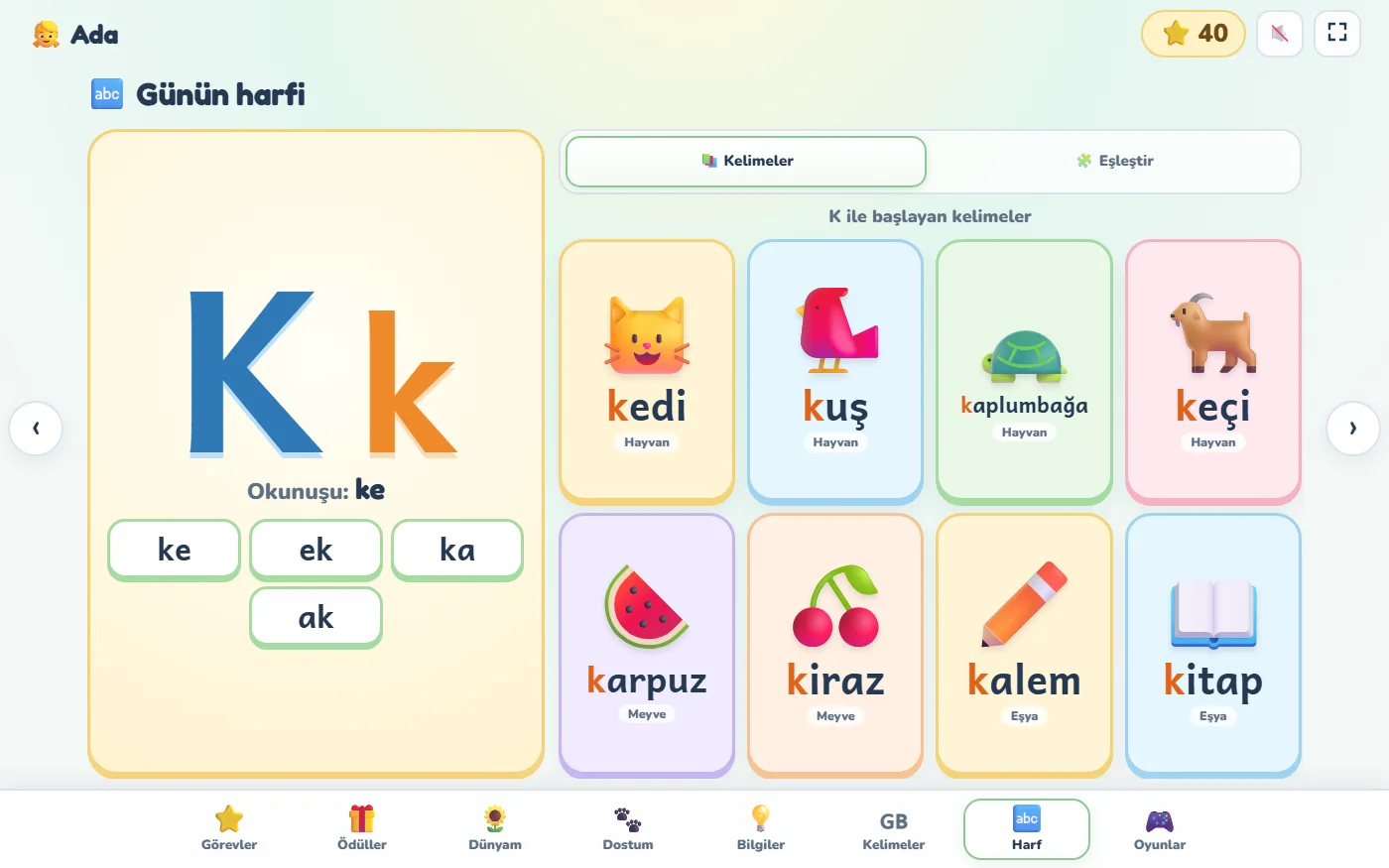
Picture and sound cards that need no reading for nursery and preschool. In 1st grade, the letter of the day the school is teaching, syllables and picture words (Turkish alphabet). In 2nd and 3rd grade, numbers, multiplication and division, fractions and science.
🇬🇧 Foreign languages
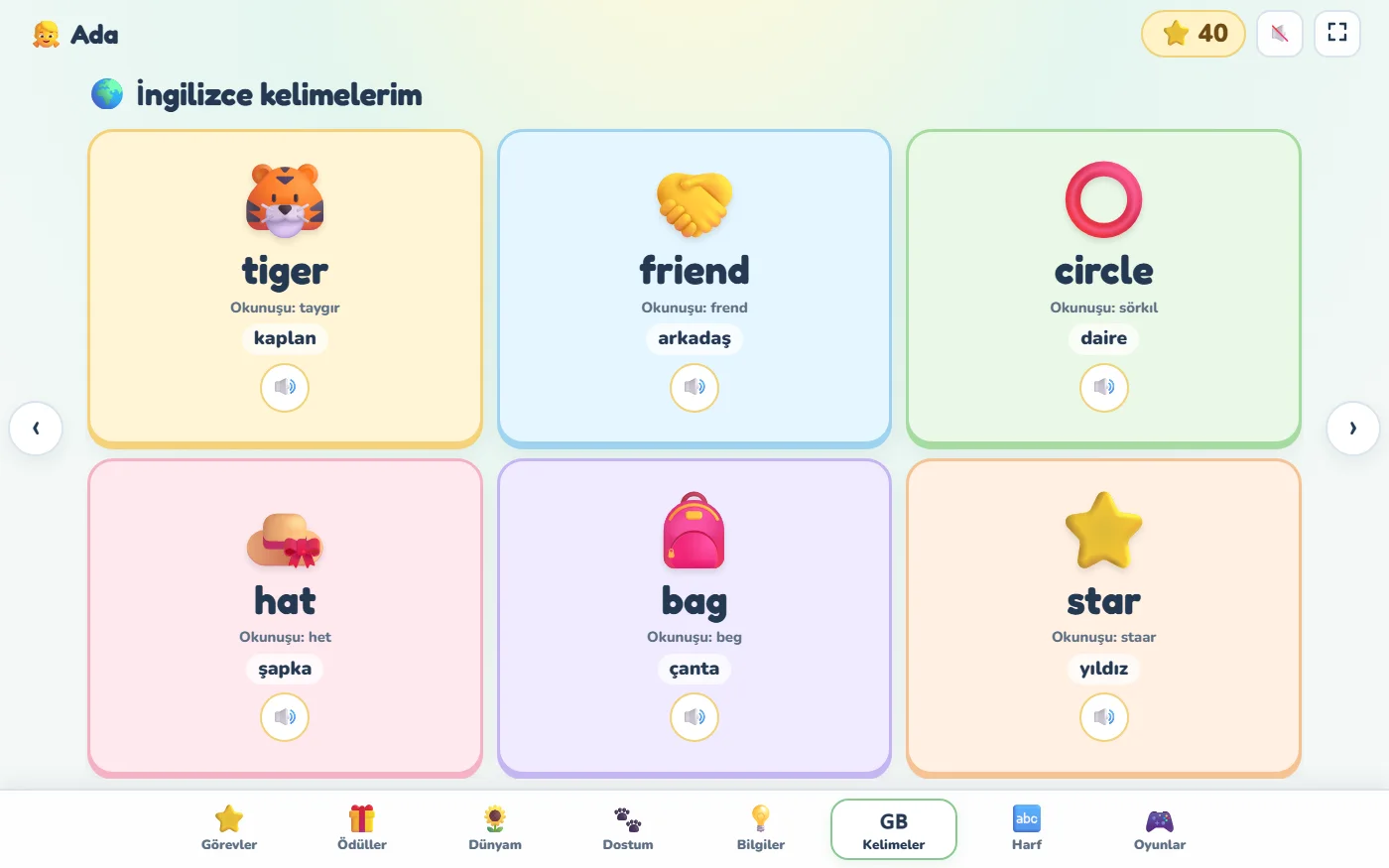
English, French and German words with a picture, pronunciation and audio.
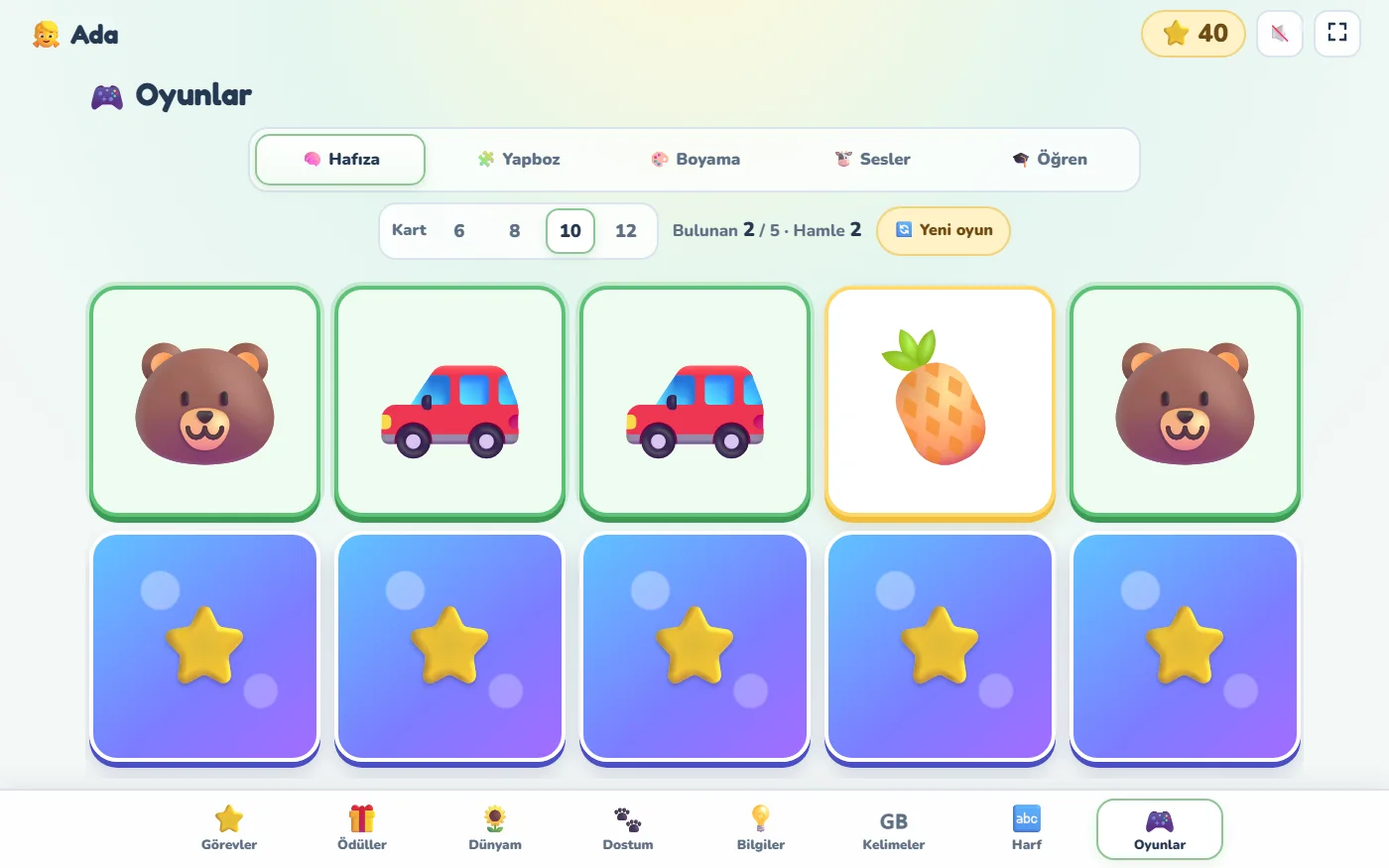
🧠 Memory
Find the matching pairs; from 6 to 12 cards depending on age.
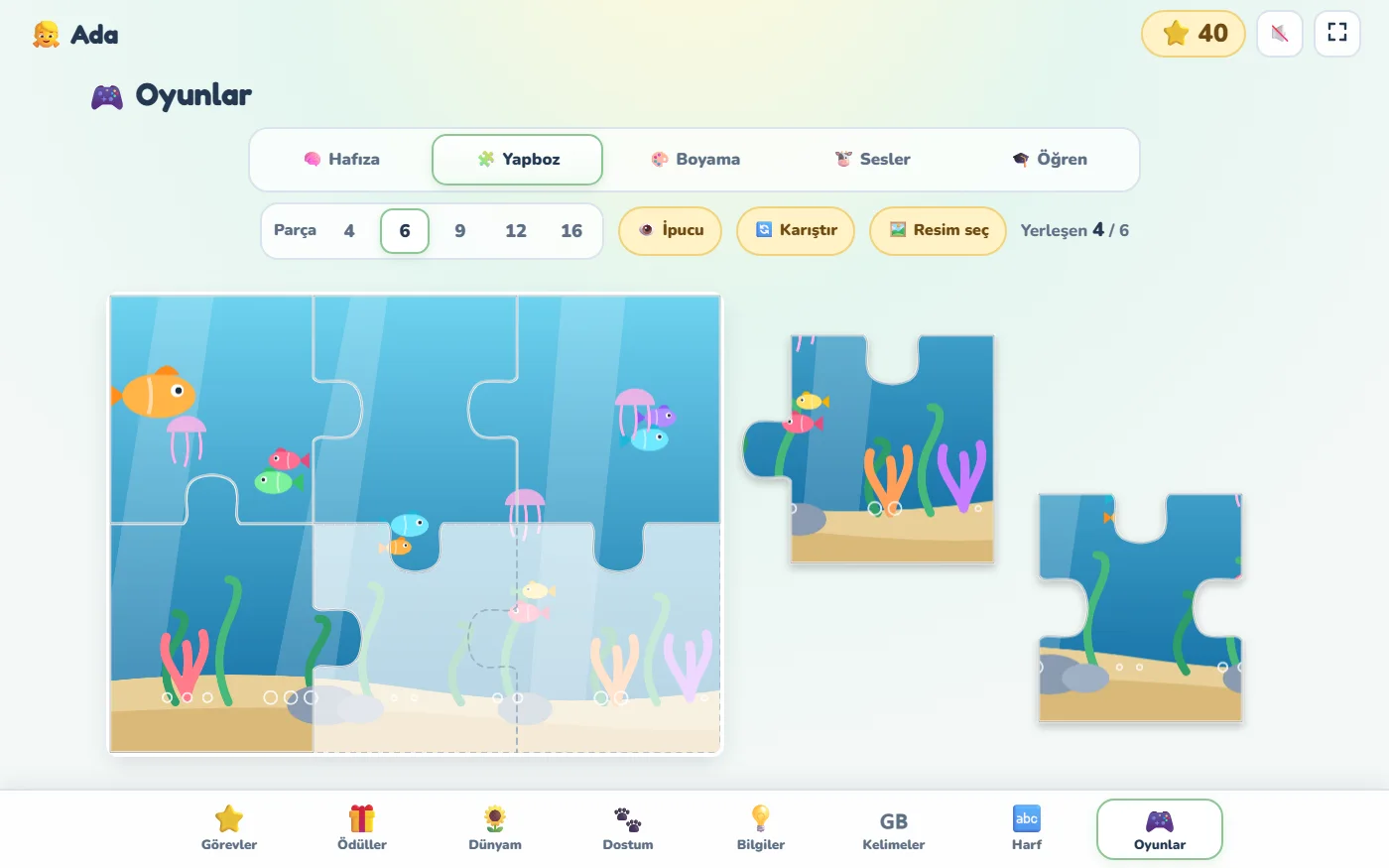
🧩 Jigsaw
Ready-made pictures or their own photo; from 4 to 16 pieces.
👶 Baby (0–2 years)
No tablet for babies. Fever, medicine, the vaccination card and the care routine are tracked from the parents' screens; parents tick off the routine steps. When your baby turns two, you change the level.
📙 4th grade: study and reading
Instead of games, the world and the shop: My day and Study and reading pages with daily responsibilities, a study goal, a reading list and a start-pause focus timer. Earlier stars and records are kept.
School grades move up automatically every September; you change the baby, nursery and preschool levels yourself. Siblings can be at different levels.
Your family's information
stays private to your family.
Encrypted connection
Your information travels over encrypted connections and is kept only for your family’s use.
Privacy notice under KVKK
A privacy notice prepared under Turkey’s Personal Data Protection Law (KVKK) states what is stored and why; separate explicit consent is required for health data. (KVKK is Turkey's data protection law.)
No ads
Your information is never sold or used for advertising.
Secure login
Bot protection, lock-out after repeated attempts, short-lived codes for devices.
Every family in its own space
Families can never see each other's information. Within a family, the budget stays with the parents; the health summary is shown only to the parents by default, and you can choose to show it to a helper account and on the shared family screen (showing it on the board can be turned off in the admin panel); the child screen shows only what's needed.
Nightly backups
Family data is backed up every night.
Apply
Fill in the form and enter the 6-digit code sent to your email. One application per family is enough.
Get your invitation
Once approved, your sign-up link arrives by email; no extra code is needed to register.
Set up your family, invite your partner
Children, school and routines in 15 minutes (even quicker without children); then you send your partner an invitation link.
Your questions
Does my partner need to apply too?
No, one application per family is enough. One parent applies. Once your family is set up, you send your partner a link from Settings → Family and parents → Create parent invitation; they join the same family with their own email and password. You both manage the same family and get the same notifications. If you both apply separately, two separate families are created.
Does it cost anything?
Aile Plan is free during the pilot. The first families join by invitation and help shape the app with their feedback.
Do I need to download an app?
No. Aile Plan runs in the browser; add it to your phone's home screen and it opens like an app and receives notifications. A tablet or smart TV browser at home can be used as the board.
What if our school has no lunch menu?
The menu builder still works; it just doesn't compare with school. You can upload the list as a PDF or photo, copy and paste it from the school's app, or type it in.
Which devices does it work on?
Android phones and iPhones, tablets, computers and TVs with a browser. On iPhone, Aile Plan must be added to the home screen to receive notifications.
Which ages is it for?
Baby (0–2), nursery, preschool and grades 1–4. Babies have no child tablet; parents track health, vaccinations and the care routine. Nursery and preschool get a picture-and-sound child screen; grades 1–3 get tasks, learning and games; in 4th grade, study, reading and a focus timer replace the games.
I have more than one child. Is that OK?
Of course. Each child has their own level, school, timetable, study plan, routine, stars and screen; siblings can share a school and can be different ages.
We don't have children. Can we use it?
Yes. You turn the child features off; shared morning/evening routines, health and medicine reminders for adults, the family budget, to-dos, menus and events keep working. Choose No children on the application form.
What happens after I apply?
When you send the form, a 6-digit code arrives by email; you type it into the box on the form (there's no link to click in the email). We review your application and, once approved, your sign-up link is sent to the same address. Your email is filled in when you register and no extra code is needed; you choose your password and set up your family. The link only works with the email address used in the application.
Can other families see our information?
No. Each family's information is kept separate and every request is limited to the logged-in person's own family; no other family can see or change your notes, photos, health or budget records. The site administrator can't see your health and budget contents either.
Is my data safe?
Information travels over encrypted connections, is kept only in your family’s own space, and is never used for advertising or sold. Where and how data is processed, and your rights under KVKK, are set out in the privacy notice. Details are in the privacy notice (in Turkish).
Join now, by invitation and free.
Aile Plan is opening up to new families. Fill in the form; we'll review your application and email you a sign-up link. One application per family is enough: one parent applies and invites the other once the family is set up.
- 👨👩👧One application per family; invite your partner later
- 🎁Free during the pilot
- 🤝Your feedback shapes the app
- 🧭A setup guide at every step
- 🔒Your details are used only for your application
🔒 Your data is not visible to other families, never sold and never used for ads. Trust details · Privacy notice (Turkish)